Convert PDFs and Images to Word and Markdown with AI
Convert PDFs, scanned documents, and images into editable Word or Markdown with AI-powered OCR.
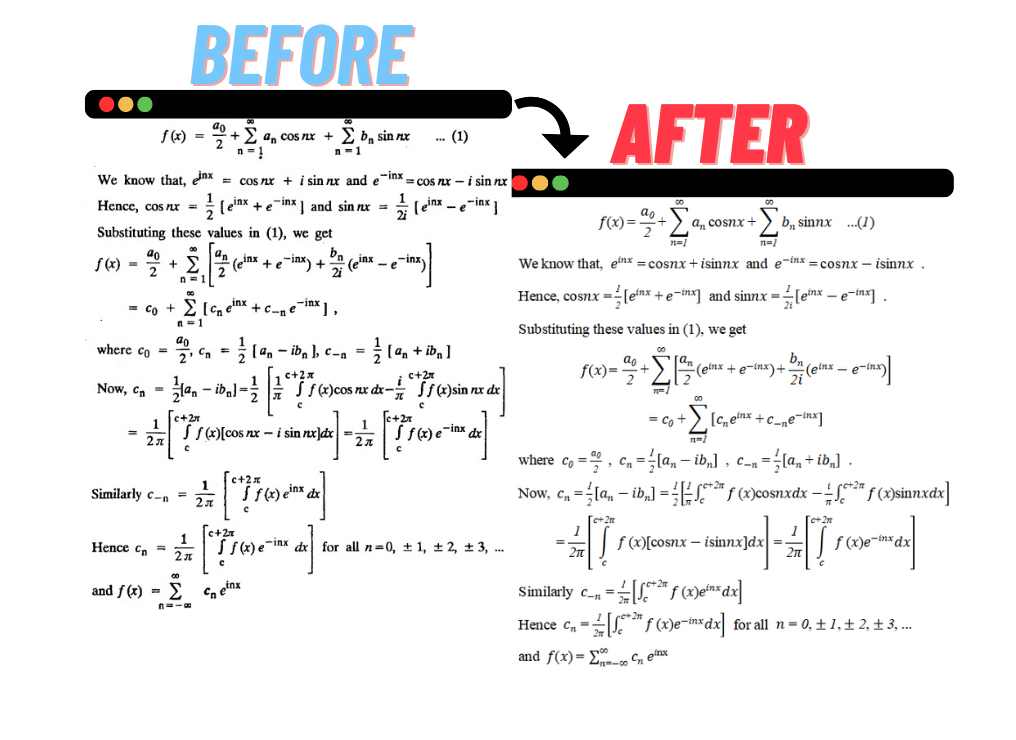
- Formula recognition
- Table recognition
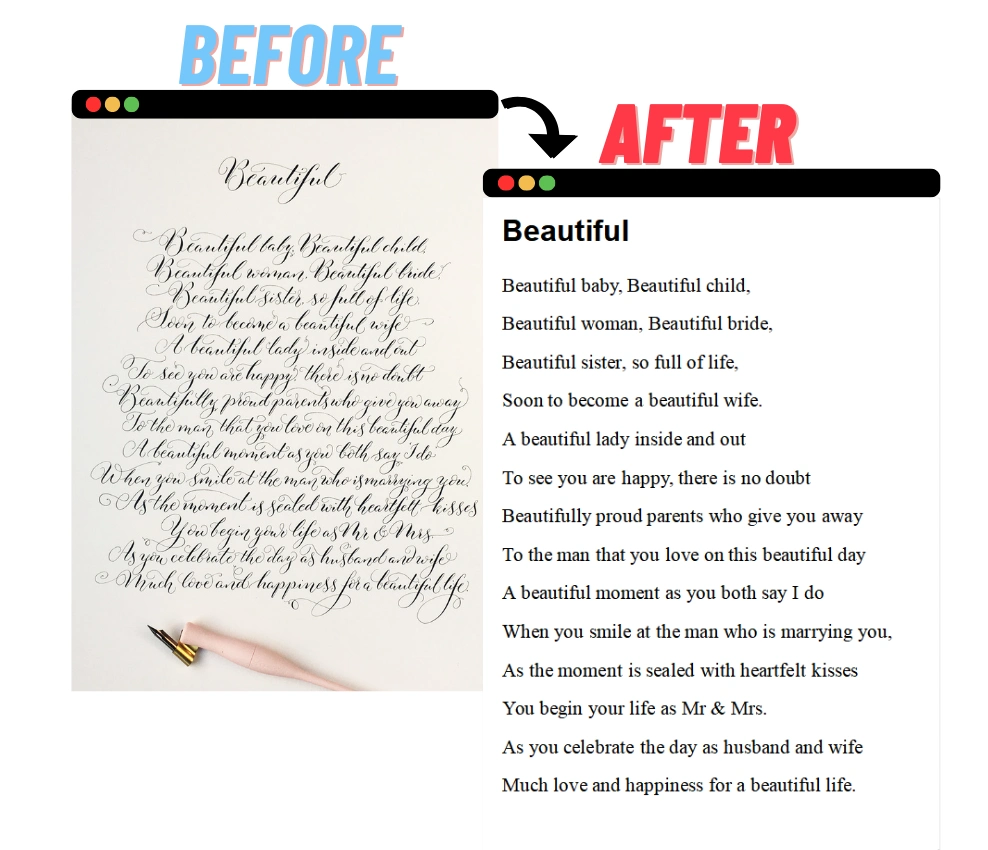
- Handwriting recognition
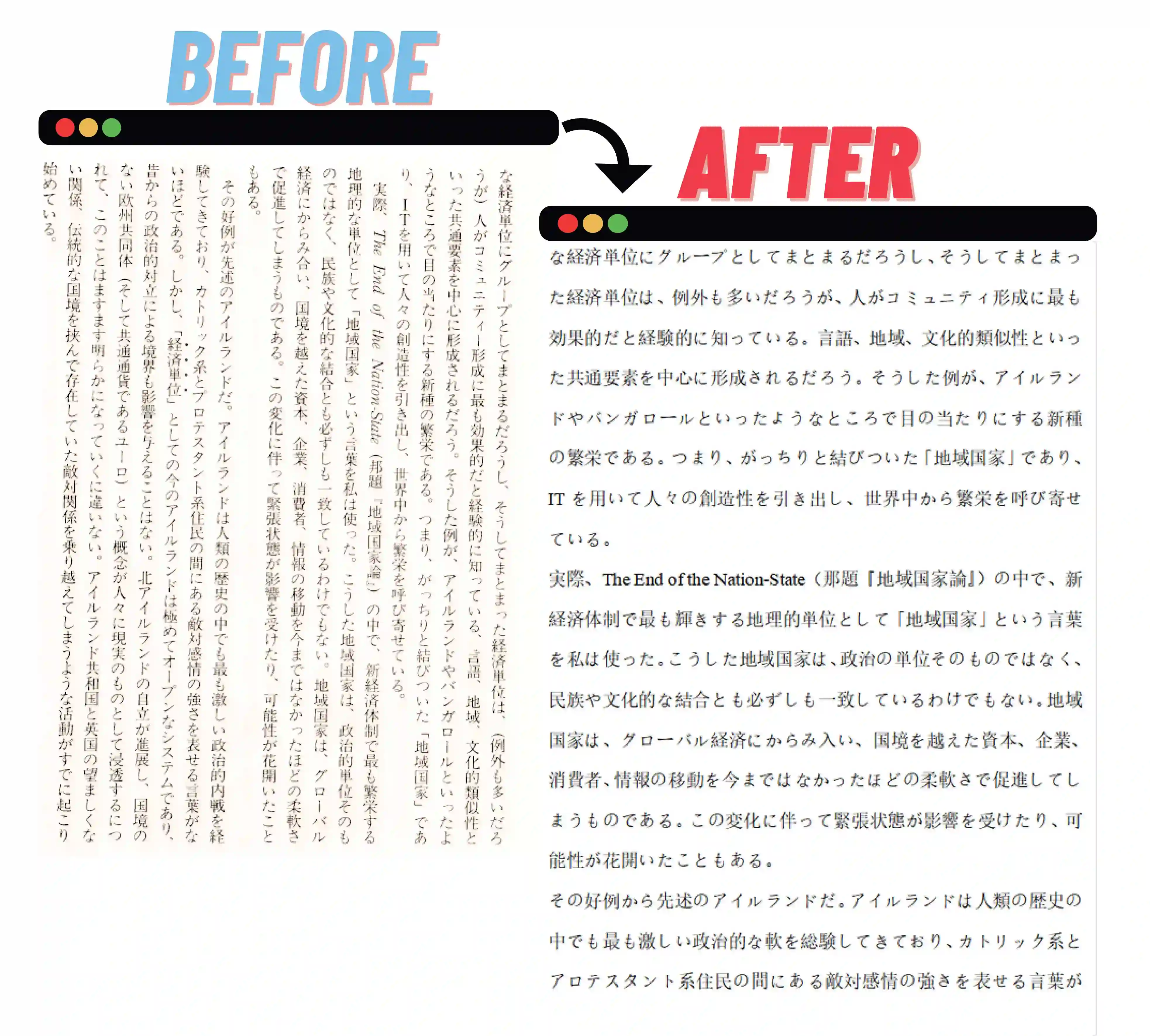
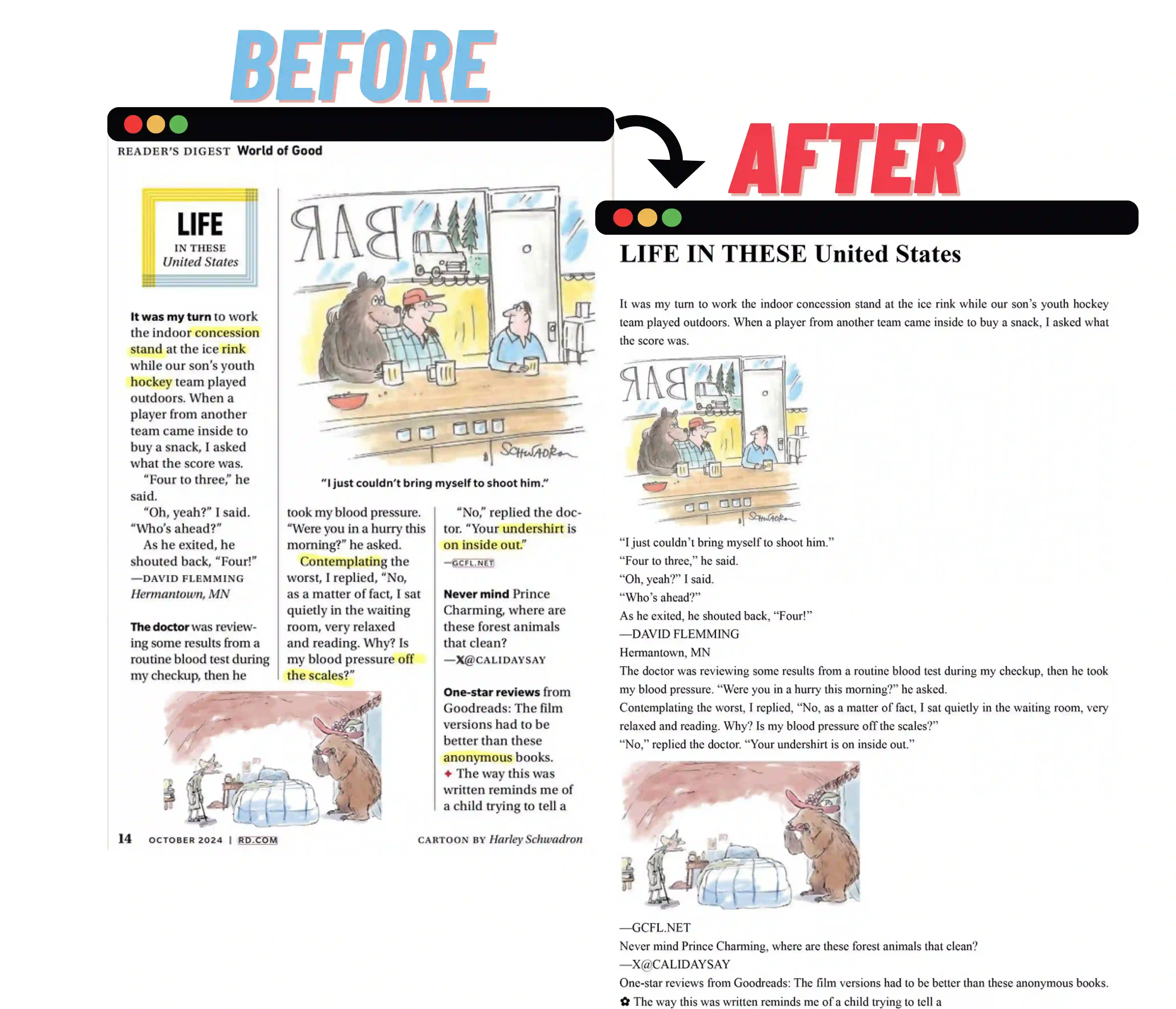
- Complex layout recognition
More PDF tools
Beyond OCR conversion — local PDF splitting and merging that never uses your daily recognition quota.
Core benefits
From recognition to export, one smooth experience covers your entire document workflow.
AI-Powered OCR
Deep-learning models automatically extract text, formulas, tables, and layout structure.
Formula Recognition
Math formulas are converted to LaTeX and rendered with MathJax.
Table Recognition
Restores cell structure and outputs standard Markdown tables.
Handwriting Recognition
Handwritten notes and scanned documents become editable text.
Complex Layout Recognition
Detects and orders multi-column, mixed text-and-image layouts for a natural reading flow.
Word & Markdown Export
Export recognized content as standard Word (DOCX) or Markdown in one click.
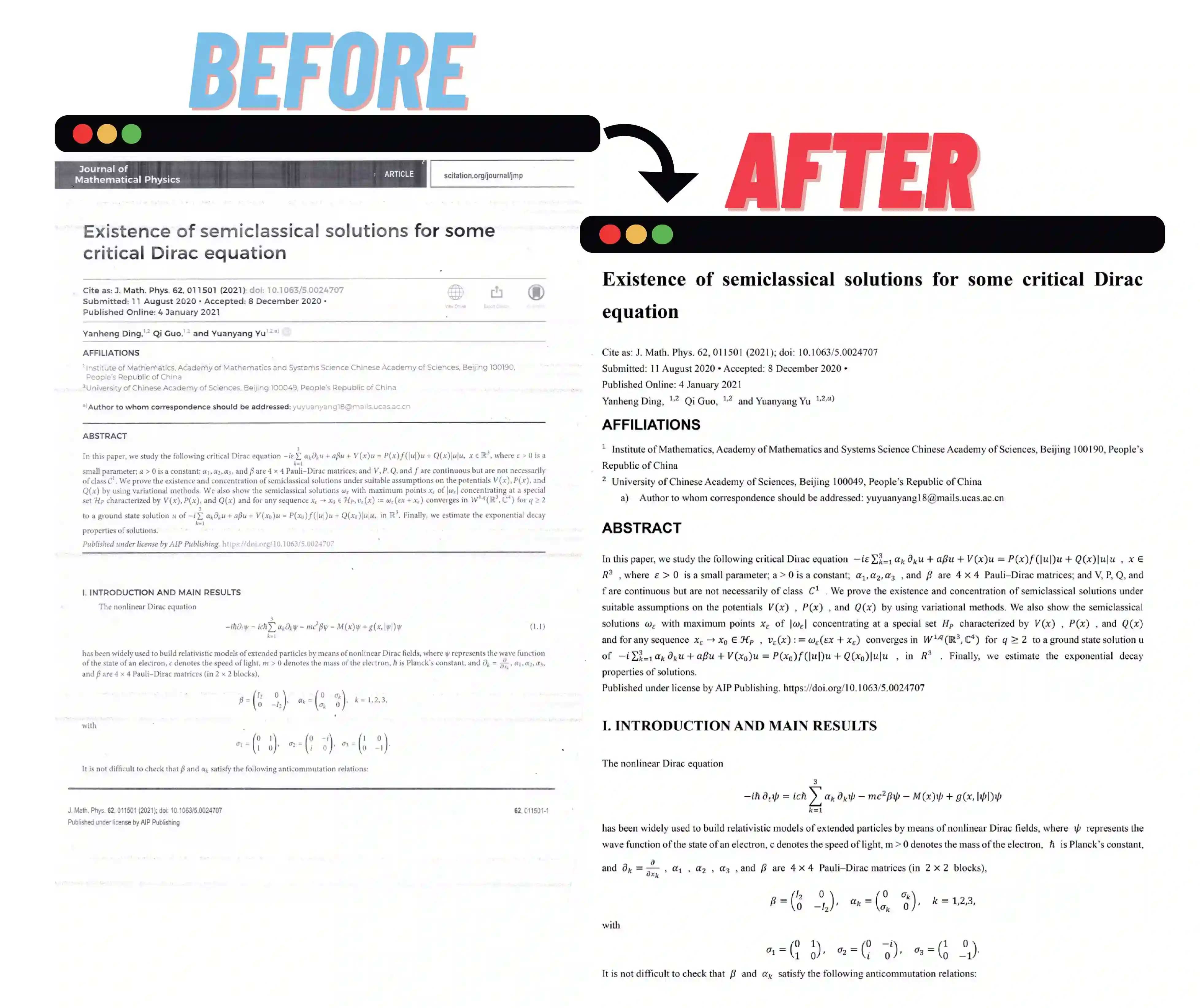
Recognition examples
Click any image to zoom in
How it works
No complex setup — upload and go
Upload
Drag-and-drop or click to upload PDFs and images in common formats.
AI recognition
OCR automatically reads text, formulas, tables, and handwriting, restoring the full layout.
Review
Check the recognized result in the live preview before exporting.
Export
Download as Markdown or Word, or copy everything to the clipboard.
Recognition capabilities
Complex documents are not just text.
Formula Recognition
Mathematical expressions are restored as LaTeX and rendered correctly.
Table Recognition
Cell structure is preserved and exported as standard Markdown tables.
Handwriting Recognition
Handwritten notes and forms become editable text.
Complex Layout Recognition
Mixed text-and-image pages are detected and ordered naturally.
Multi-column Documents
Multi-column layouts keep their correct reading order.
Conversion formats
From PDF and images to editable documents.
Input
- PDF (scanned and digital)
- PNG, JPG, BMP, TIFF
- Photos of documents
Output
- Word (.docx)
- Markdown (.md)
Use cases
Built for documents that plain text extractors cannot handle.
Academic papers
Convert papers with formulas and tables into editable documents.
Business documents
Turn scanned contracts and reports into editable Word files.
Study notes
Digitize handwritten notes and lecture slides.
Archival scanning
Make old scanned documents searchable and reusable.
Privacy & security
Uploaded files are automatically deleted after processing.
FAQ
Answers to what you care about
Can I convert a scanned PDF to Word?
Yes. AI OCR reads the text in scanned PDFs and converts it into an editable Word document, preserving the layout as closely as possible.
Can PDF2Word Online recognize mathematical formulas?
Yes. Formulas are converted to LaTeX and rendered with MathJax, so they stay accurate and editable in the exported document.
Can it extract tables from PDFs?
Yes. Table cell structure is detected and exported as standard Markdown tables, which you can convert to Word.
Can it recognize handwriting?
Yes. Handwritten notes and scanned documents are recognized into editable text.
Can I convert images to Word?
Yes. Upload PNG, JPG, BMP, or TIFF images and convert them to Word or Markdown.
Can I convert PDF to Markdown?
Yes. Both PDFs and images can be converted to standard Markdown as well as Word.
Are my uploaded files stored?
Files are used only for your conversion and are automatically deleted after processing.
Resources
Learn more about PDF2Word Online.